Why 8-bit raw scans of film negatives band in the highlights
This is really an 8-bit problem, not a Pakon problem. It shows up with any 8-bit raw scan of a film negative. The examples here use the Pakon F135+, but the same thing can happen with negative scans from other scanners.
A film negative has to be inverted to a positive, with the orange base removed, before you see a usable image. That inversion stretches the captured tones a long way, especially in the highlights. Starting from only 8 bits of data per channel, there often isn't enough to stretch smoothly, so you get visible quantization (banding) in skies and other smooth highlight areas. A 16-bit scan has far more data to draw on and inverts cleanly.
In this case: although the Pakon F135+ scans at a higher bit depth, its PSI software can only export 8-bit files, even when exporting "raw". TLXClientDemo's planar raw output keeps the full sensor data and doesn't suffer from this. Those planar raw files can be batch-converted with PPRC.
The images below are 100% crops shown as 8-bit JPEGs. Click either crop to open it large, then use ← → to flip between the 8-bit and 16-bit versions in place. Use the links under each crop for the full samples.
Frame 20140611_01_04
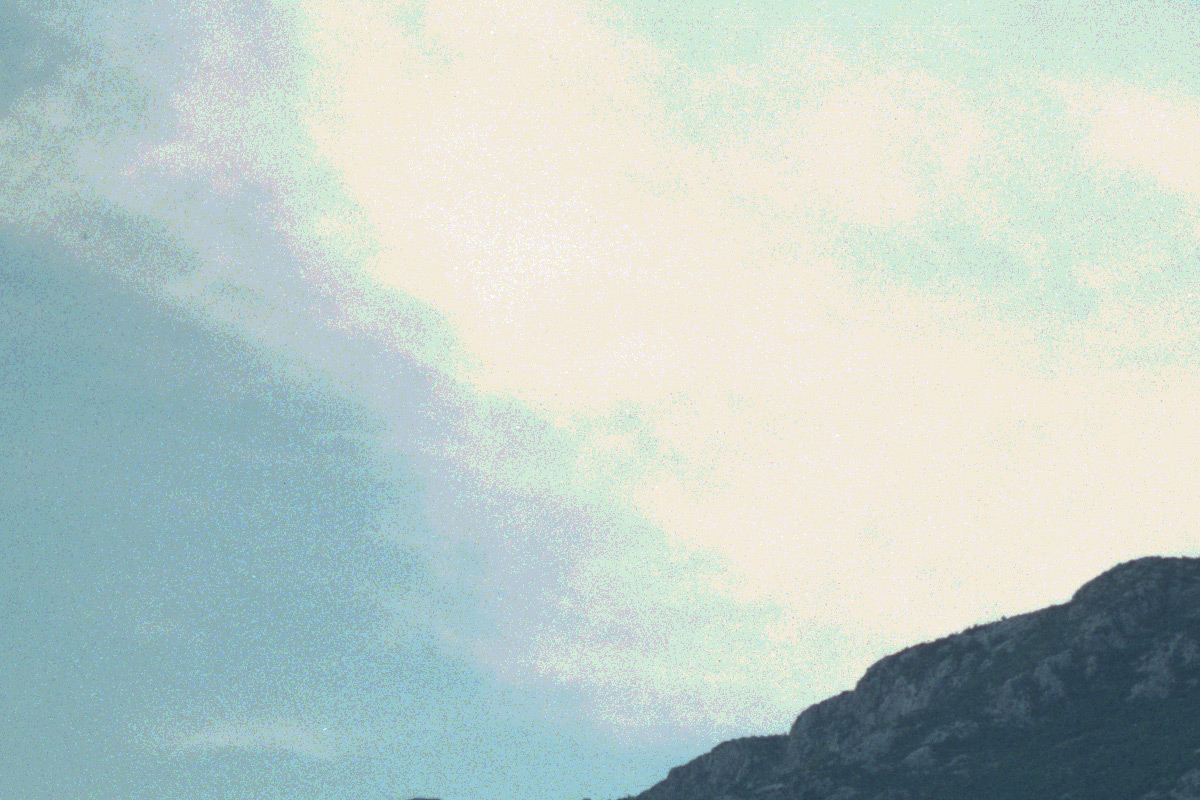
Quantization is visible in the sky from the limited bit depth of the 8-bit raw.
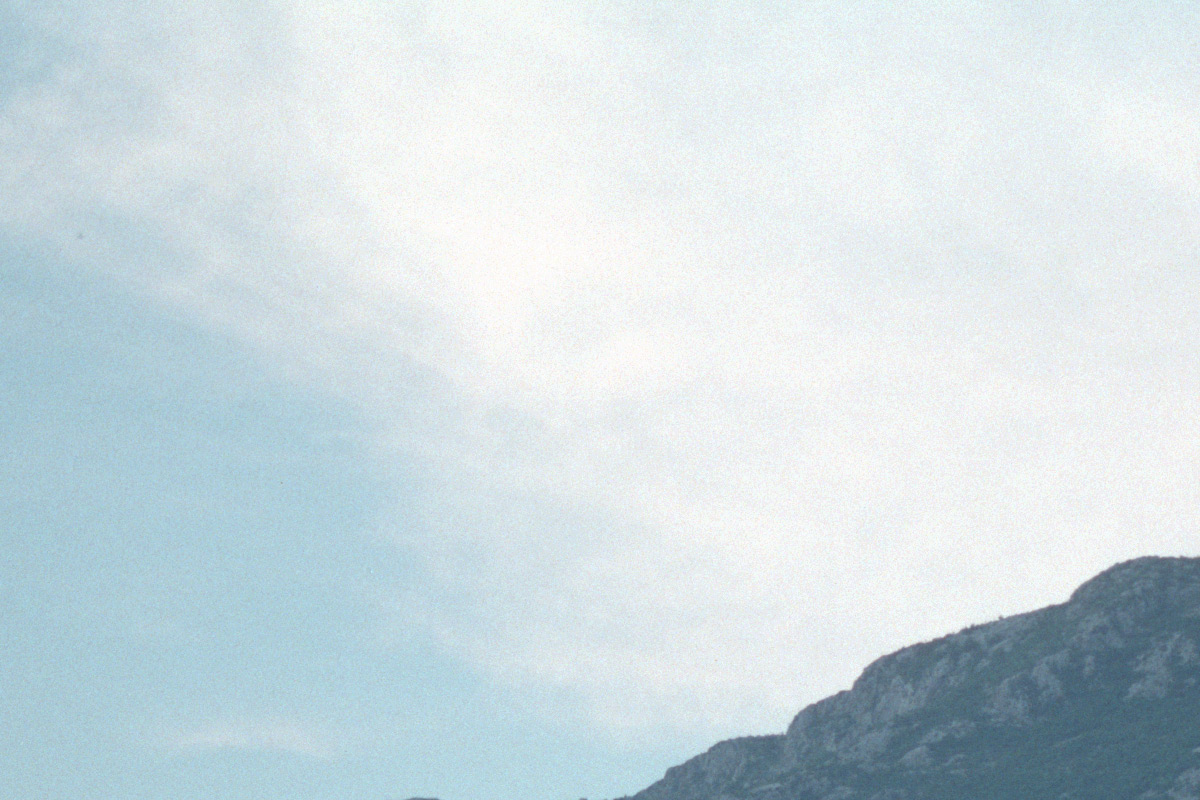
Full sensor data converted with PPRC. Smooth highlight gradation, no banding.
Frame 20140611_01_27
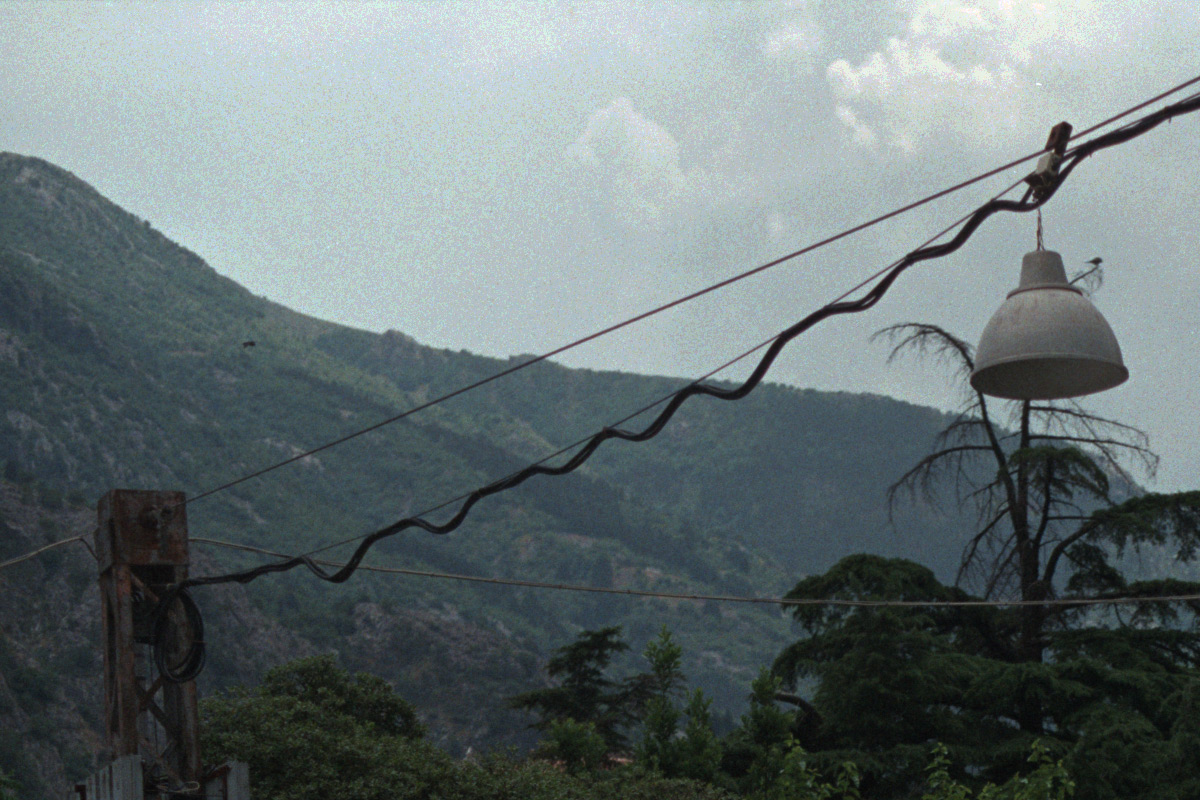
Quantization is visible in the sky from the limited bit depth of the 8-bit raw.
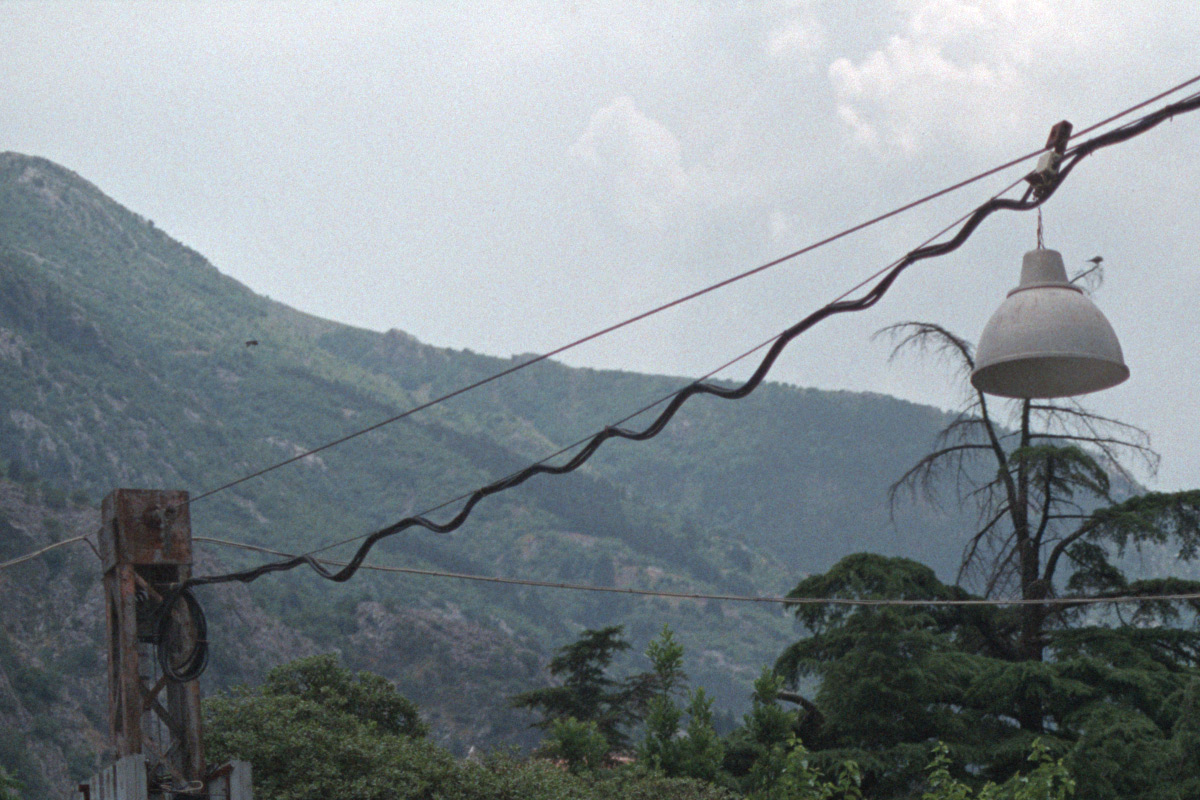
Full sensor data converted with PPRC. Smooth highlight gradation, no banding.
See more before/after comparisons on the comparison page, or read more in the FAQ.